View Products in 3D/AR

CJ Pony Parts products with 3D images

See How These Parts Look on Your Car Before You Buy

View Products in 3D/AR

CJ Pony Parts products with 3D images

See How These Parts Look on Your Car Before You Buy

Showing 261-280 of 448

Set Ascending Direction
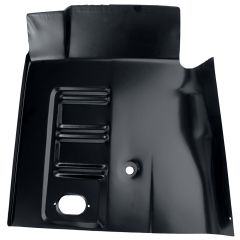
  1. Floor Pan Short Front Driver Side Mustang 1965-1970
    Floor Pan Short Front Driver Side Mustang 1965-1970
    Rating:
    95%
    $52.99
  2. Radiator Opening Cover Bare Steel Mustang 1965
    Radiator Opening Cover Bare Steel Mustang 1965
    Rating:
    95%
    $142.99
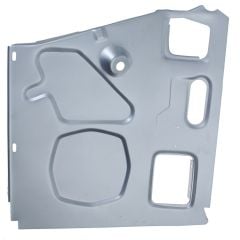
  3. Cowl Side Panel In Weld-Thru Primer Passenger Side Mustang 1967-1968
    Cowl Side Panel In Weld-Thru Primer Passenger Side Mustang 1967-1968
    Rating:
    100%
    $58.99
  4. Seat Platform In Weld-Thru Primer Driver Side Mustang Coupe/ Fastback 69-70
    Seat Platform In Weld-Thru Primer Driver Side Mustang Coupe/ Fastback 69-70
    Rating:
    87%
    $92.99
  5. FANS13
    Fan Shroud Mustang 302 With Air Conditioning/ 351 Cleveland 1971-1973
    Rating:
    100%
    $99.99
  6. CJ Classics Center Console Assembly Mustang With Manual Transmission Coupe/ Fastback 1969
    CJ Classics Center Console Assembly Mustang With Manual Transmission Coupe/ Fastback 1969
    Rating:
    100%
    From $854.99
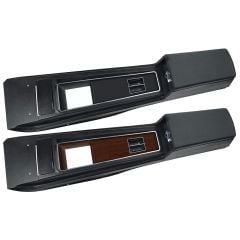
  7. CJ Classics Center Console Assembly Black Mustang 1971-1973
    CJ Classics Center Console Assembly Black Mustang 1971-1973
    Rating:
    98%
    $899.99
  8. CONT5
    Cup Holder Console Top Panel Scarlet Red With Power Mirrors Mustang 1987-1993
    Rating:
    85%
    $130.99
  9. OP2
    Oil Pan Front Sump Black Stock Replacement w/ Drain Plug 260/289/289Hi-Po/302
    Rating:
    98%
    $69.99
  10. Brake Master Cylinder Power Disc/Drum Mustang 69-72 w/ OE-Style Cap And Lettering
    Brake Master Cylinder Power Disc/Drum Mustang 69-72 w/ OE-Style Cap And Lettering
    Rating:
    100%
    $84.99
  11. CONT4
    Cup Holder Console Top Panel Black For Power Mirrors Mustang 1987-1993
    Rating:
    98%
    $131.99
  12. Quarter Panel Full Convertible Mustang 1965-1966
    Quarter Panel Full Convertible Mustang 1965-1966
    Rating:
    95%
    From $239.99
  13. IMS1144-V
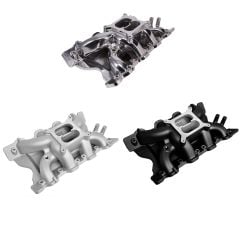
    CJ Classics Intake Manifold Dual Plane Aluminum Mustang 351C 2V/4V 1970-1973
    Rating:
    95%
    From $259.99
  14. CJ Classics Air Cleaner Chrome With Blue Base/ 289 Hi-Po Decal Mustang V8 65-73
    CJ Classics Air Cleaner Chrome With Blue Base/ 289 Hi-Po Decal Mustang V8 65-73
    Rating:
    97%
    $39.99
  15. HEI Distributor With Red Cap Ford 260/289/302
    HEI Distributor With Red Cap Ford 260/289/302
    Rating:
    88%
    $89.99
  16. BMC09
    Brake Master Cylinder New Power Disc Mustang 1967-1972
    Rating:
    93%
    $96.99
Page
per page

How to Use 3D/AR View at CJ's

Our 3D images let you see parts from every angle in fine detail, whether you’re on your phone or computer. If you’re browsing parts on your phone, you can use AR view to see what they’ll look like on your actual car.

Using 3D/AR View on Your Phone

AR view is available on iPhone 6S or newer with iOS version 11.0 and up. For Android phones, you must have the AR Core app installed. AR Core is available on these devices running Android 7.0 and newer.

  1. Click on any product on this page.
  2. Swipe left until you find the thumbnail image with the 3D view icon.
  3. Tap on the image to launch the 3D view.
  4. Once you’re in 3D view, you can use your finger to spin or rotate the product. Pinch your fingers together or spread them apart to zoom in and out.
  5. To launch the AR view, tap the AR button in the bottom-right corner of the 3D view screen.
  6. To get the product to show up on your screen, you’ll need to move your phone around to orient the camera to your environment.
  7. Once the product appears on your screen, you can use your fingers to adjust the angle, size, and location to fit your car.

Using 3D View on Your Computer

You can take advantage of our 3D images regardless of what device you’re on. Here’s how to find and use 3D view on your computer:

  1. Click on any product on this page.
  2. Find the thumbnail image on the product page with the 3D view icon.
  3. Click on the image to launch the 3D view.
  4. Once you’re in 3D view, you can click and drag the product to see it from different angles. You can also use your scroll wheel or trackpad to zoom in and out.