View Products in 3D/AR

CJ Pony Parts products with 3D images

See How These Parts Look on Your Car Before You Buy

View Products in 3D/AR

CJ Pony Parts products with 3D images

See How These Parts Look on Your Car Before You Buy

Showing 521-540 of 1321

Set Ascending Direction
  1. 3649B
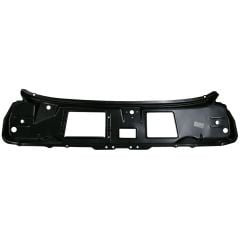
    CJ Classics Trunk Lid Metal Mustang Fastback 1969-1970
    Rating:
    100%
    $193.99
  2. Trunk Brace In Weld-Thru Primer One-Piece Rear Mustang Convertible 1965-1970
    Trunk Brace In Weld-Thru Primer One-Piece Rear Mustang Convertible 1965-1970
    Rating:
    100%
    $109.99
  3. EB5
    Export Brace Chrome Mustang 1965-1970
    Rating:
    96%
    $99.99
  4. Kick Panel Pair Coupe/Fastback Mustang 1965-1966
    Kick Panel Pair Coupe/Fastback Mustang 1965-1966
    Rating:
    94%
    From $37.99
  5. M16600MA
    Ford Racing 2018-Style Taillight Panel Molding Mustang 15-23 Gloss Black w/o Emblem
    Rating:
    99%
    $175.99
  6. GM3WL
    CJ Classics Grille Molding Wide Driver Side Mustang 1969
    Rating:
    72%
    $44.99
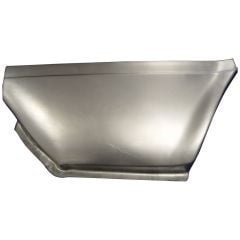
  7. Fender Front Patch Panel Left Lower Rear Outer Mustang 1964-1966
    Fender Front Patch Panel Left Lower Rear Outer Mustang 1964-1966
    Rating:
    80%
    $53.99
  8. M3693D
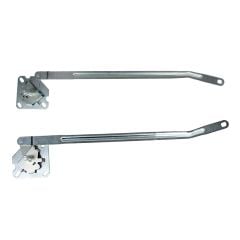
    CJ Classics Door Window Regulator Driver Side Mustang 1968
    Rating:
    75%
    $79.99
  9. XM100R
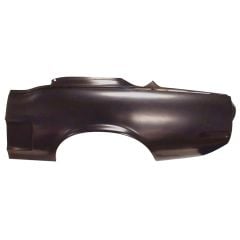
    Quarter Panel Patch Premium Lower Rear 12" Passenger Side Mustang 1965-1966
    Rating:
    93%
    $80.99
  10. CJ Classics Power Brake Conversion Kit With Aluminum Oval Master Cylinder Disc/ Disc Mustang Automatic Transmission 1967-1970
    CJ Classics Power Brake Conversion Kit With Aluminum Oval Master Cylinder Disc/ Disc Mustang Automatic Transmission 1967-1970
    Rating:
    73%
    $433.99
  11. Cup Holder Console Top Panel Mustang 87-89 Correct Smoke Gray For Power Mirrors 1987-1993
    Cup Holder Console Top Panel Mustang 87-89 Correct Smoke Gray For Power Mirrors 1987-1993
    Rating:
    99%
    $140.99
Page
per page

How to Use 3D/AR View at CJ's

Our 3D images let you see parts from every angle in fine detail, whether you’re on your phone or computer. If you’re browsing parts on your phone, you can use AR view to see what they’ll look like on your actual car.

Using 3D/AR View on Your Phone

AR view is available on iPhone 6S or newer with iOS version 11.0 and up. For Android phones, you must have the AR Core app installed. AR Core is available on these devices running Android 7.0 and newer.

  1. Click on any product on this page.
  2. Swipe left until you find the thumbnail image with the 3D view icon.
  3. Tap on the image to launch the 3D view.
  4. Once you’re in 3D view, you can use your finger to spin or rotate the product. Pinch your fingers together or spread them apart to zoom in and out.
  5. To launch the AR view, tap the AR button in the bottom-right corner of the 3D view screen.
  6. To get the product to show up on your screen, you’ll need to move your phone around to orient the camera to your environment.
  7. Once the product appears on your screen, you can use your fingers to adjust the angle, size, and location to fit your car.

Using 3D View on Your Computer

You can take advantage of our 3D images regardless of what device you’re on. Here’s how to find and use 3D view on your computer:

  1. Click on any product on this page.
  2. Find the thumbnail image on the product page with the 3D view icon.
  3. Click on the image to launch the 3D view.
  4. Once you’re in 3D view, you can click and drag the product to see it from different angles. You can also use your scroll wheel or trackpad to zoom in and out.