View Products in 3D/AR

CJ Pony Parts products with 3D images

See How These Parts Look on Your Car Before You Buy

View Products in 3D/AR

CJ Pony Parts products with 3D images

See How These Parts Look on Your Car Before You Buy

Showing 361-380 of 1321

Set Ascending Direction
  1. Borgeson Power Steering Box Street and Performance 12.7:1 Ratio Chevy C10 68-86
    Borgeson Power Steering Box Street and Performance 12.7:1 Ratio Chevy C10 68-86
    Rating:
    100%
    $467.78
  2. M1007M1995B-V
    Ford Racing GT Performance Pack Wheel 19"x9.5" Matte Black Mustang 2005-2023
    Rating:
    100%
    From $251.99
  3. Maximum Motorsports Sub Frame Connectors Full Length Set Mustang 1979-2004
    Maximum Motorsports Sub Frame Connectors Full Length Set Mustang 1979-2004
    Rating:
    99%
    $239.97
  4. M2300W
    Ford Racing Front Brake Kit Focus RS Brembo 4-Piston Focus ST 2013-2018
    Rating:
    98%
    $968.99
  5. Edelbrock Fuel Pump 110 Gph Performer RPM 289/302/351W
    Edelbrock Fuel Pump 110 Gph Performer RPM 289/302/351W
    Rating:
    95%
    $186.95
  6. DPS32
    CJ Classic Trucks Inner Door Panel Driver Side Chevrolet C10 1964-1966
    Rating:
    100%
    $104.99
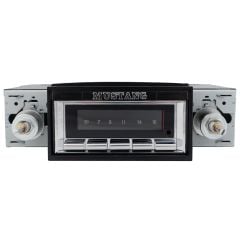
  7. Custom Autosound Radio USA-740 AM/FM Mustang 1965-1966
    Custom Autosound Radio USA-740 AM/FM Mustang 1965-1966
    Rating:
    94%
    $399.00
  8. FT15
    CJ Classics Fuel Tank Stainless Steel Mustang 1965-1968
    Rating:
    86%
    $349.99
  9. W126-V
    American Racing Natural 4-Lug 14"X7" Outlaw II Wheel Mustang 65-73
    Rating:
    100%
    From $173.99
  10. Classic Design Concepts Light Bar Black Mustang Convertible 15-26
    Classic Design Concepts Light Bar Black Mustang Convertible 15-26
    Rating:
    98%
    $495.00
  11. Wilwood Front Disc Brake Kit Dynalite Mustang 65-69 4-Piston Drilled/ Slotted 11.3" V8 Spindles
    Wilwood Front Disc Brake Kit Dynalite Mustang 65-69 4-Piston Drilled/ Slotted 11.3" V8 Spindles
    Rating:
    83%
    From $951.69
  12. WHSP48
    Steeda Wheel Spacer Hub Centric 1" Black Pair Mustang V6 15-17/ EcoBoost/GT 15-26/ Dark Horse 24-26
    Rating:
    97%
    $114.95
  13. USA2B
    Custom Autosound Radio USA-230 AM/FM Mustang 1967-1973
    Rating:
    93%
    $239.99
  14. Ford Racing 2017-2020 Raptor Steering Wheel With Red F-150 2015-2020
    Ford Racing 2017-2020 Raptor Steering Wheel With Red F-150 2015-2020
    Rating:
    93%
    $509.99
  15. Borgeson Power Steering Conversion Gearbox With 14:1 Ratio Bronco 1966-1977
    Borgeson Power Steering Conversion Gearbox With 14:1 Ratio Bronco 1966-1977
    Rating:
    98%
    $518.81
  16. DTWK1
    Dash Panel Trim Set Deluxe Woodgrain Without Air Conditioning 1968 Mustang
    Rating:
    100%
    $199.99
  17. BC2L
    Disc Brake Caliper Four Piston Driver Side 1967 Mustang
    Rating:
    100%
    $139.99
  18. Driver Side Door Glass Track Run Assembly Mustang 1965-1966
    Driver Side Door Glass Track Run Assembly Mustang 1965-1966
    Rating:
    95%
    $64.99
Page
per page

How to Use 3D/AR View at CJ's

Our 3D images let you see parts from every angle in fine detail, whether you’re on your phone or computer. If you’re browsing parts on your phone, you can use AR view to see what they’ll look like on your actual car.

Using 3D/AR View on Your Phone

AR view is available on iPhone 6S or newer with iOS version 11.0 and up. For Android phones, you must have the AR Core app installed. AR Core is available on these devices running Android 7.0 and newer.

  1. Click on any product on this page.
  2. Swipe left until you find the thumbnail image with the 3D view icon.
  3. Tap on the image to launch the 3D view.
  4. Once you’re in 3D view, you can use your finger to spin or rotate the product. Pinch your fingers together or spread them apart to zoom in and out.
  5. To launch the AR view, tap the AR button in the bottom-right corner of the 3D view screen.
  6. To get the product to show up on your screen, you’ll need to move your phone around to orient the camera to your environment.
  7. Once the product appears on your screen, you can use your fingers to adjust the angle, size, and location to fit your car.

Using 3D View on Your Computer

You can take advantage of our 3D images regardless of what device you’re on. Here’s how to find and use 3D view on your computer:

  1. Click on any product on this page.
  2. Find the thumbnail image on the product page with the 3D view icon.
  3. Click on the image to launch the 3D view.
  4. Once you’re in 3D view, you can click and drag the product to see it from different angles. You can also use your scroll wheel or trackpad to zoom in and out.