View Products in 3D/AR

CJ Pony Parts products with 3D images

See How These Parts Look on Your Car Before You Buy

View Products in 3D/AR

CJ Pony Parts products with 3D images

See How These Parts Look on Your Car Before You Buy

Showing 321-340 of 1812

Set Ascending Direction
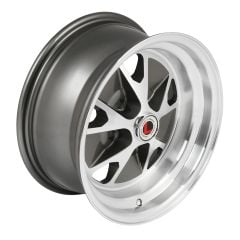
  1. W905-V
    Legendary Wheel Co. Charcoal/ Machined 15"X7" Styled Alloy Wheel Mustang 65-73
    Rating:
    100%
    From $249.95
  2. W907-V
    Legendary Wheel Co. Black/Satin 15"X7" Magnum 500 Wheel Mustang 65-73
    Rating:
    98%
    From $249.95
  3. Legendary Wheel Co. 17"X7" HB45 Alloy Wheel Mustang 65-73 Charcoal/ Machined
    Legendary Wheel Co. 17"X7" HB45 Alloy Wheel Mustang 65-73 Charcoal/ Machined
    Rating:
    100%
    From $311.95
  4. HW4464
    ACCELATEC Exterior Mirror Covers Carbon Fiber Pair W/Turn Signal Mustang 2015-23
    Rating:
    85%
    $113.99
  5. STB1
    CJ Classics Adjustable Export Brace Black Mustang 1965-1970
    Rating:
    80%
    $199.99
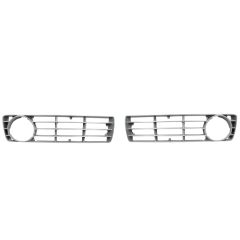
  6. G254P
    Plastic Argent Silver Grille Insert Pair Ford F-100/ F-250/ F-350 73-75
    Rating:
    95%
    $110.99
  7. TLH4
    Trunk Lid Hinge Pair Mustang Fastback 1969-1970
    Rating:
    100%
    $167.99
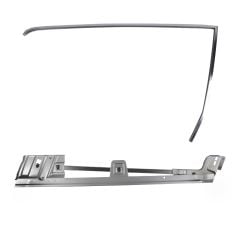
  8. 3652WT
    Torque Box Weld-Thru Primer Two-Piece Passenger Mustang Convertible 1965-1968
    Rating:
    98%
    $101.99
  9. CJ Classics Front Bumper Chrome Mustang 1969-1970
    CJ Classics Front Bumper Chrome Mustang 1969-1970
    Rating:
    100%
    $174.99
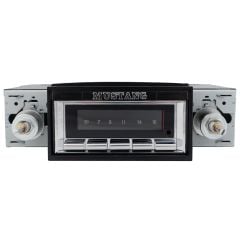
  10. USA2A
    Custom Autosound USA-230 Radio Mustang 1965-1966
    Rating:
    90%
    $239.99
  11. USA740B
    Custom Autosound Radio USA-740 AM/FM Mustang 1967-1973
    Rating:
    97%
    $399.00
  12. M7210M
    Ford Racing Hurst Manual Shifter T5/T45 Mustang 1979-2004
    Rating:
    96%
    $323.99
  13. Edelbrock Fuel Pump 110 Gph Performer RPM 289/302/351W
    Edelbrock Fuel Pump 110 Gph Performer RPM 289/302/351W
    Rating:
    95%
    $186.95
  14. W185-V
    Wheel Vintiques Magnum 500 Wheel 15"X6" Chrome/ Black Inserts Mustang 65-73
    Rating:
    96%
    From $313.00
Page
per page

How to Use 3D/AR View at CJ's

Our 3D images let you see parts from every angle in fine detail, whether you’re on your phone or computer. If you’re browsing parts on your phone, you can use AR view to see what they’ll look like on your actual car.

Using 3D/AR View on Your Phone

AR view is available on iPhone 6S or newer with iOS version 11.0 and up. For Android phones, you must have the AR Core app installed. AR Core is available on these devices running Android 7.0 and newer.

  1. Click on any product on this page.
  2. Swipe left until you find the thumbnail image with the 3D view icon.
  3. Tap on the image to launch the 3D view.
  4. Once you’re in 3D view, you can use your finger to spin or rotate the product. Pinch your fingers together or spread them apart to zoom in and out.
  5. To launch the AR view, tap the AR button in the bottom-right corner of the 3D view screen.
  6. To get the product to show up on your screen, you’ll need to move your phone around to orient the camera to your environment.
  7. Once the product appears on your screen, you can use your fingers to adjust the angle, size, and location to fit your car.

Using 3D View on Your Computer

You can take advantage of our 3D images regardless of what device you’re on. Here’s how to find and use 3D view on your computer:

  1. Click on any product on this page.
  2. Find the thumbnail image on the product page with the 3D view icon.
  3. Click on the image to launch the 3D view.
  4. Once you’re in 3D view, you can click and drag the product to see it from different angles. You can also use your scroll wheel or trackpad to zoom in and out.